
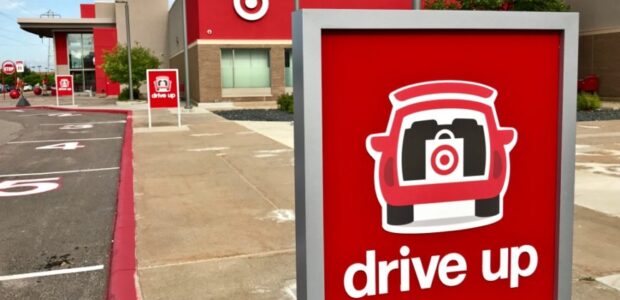

How to Use Target Drive Up Pickup Services | Save Time & Shop Smarter 2026
Social distancing may be keeping you out of stores, but that doesn’t have to stop you from getting the items you need. Many stores will bring your purchases out to your car and load them in for you so that you can restock without getting too close to anyone. Target‘s Drive Up service is one of our favorite options.
To use this service, download the Target App. Shop through the app and choose the items you want. When you check out, just select Drive Up. Target will let you know when your order is ready for pickup. Then, you let them know when you’re on your way and when you’ve arrived in one of the designated parking spots. A team member will load your purchases in your trunk.
At this time, perishable items and adult beverages aren’t available through the Drive Up service, but most other items are eligible. You can use Target Circle offers for additional savings, and your order will still be eligible for 5% off when you purchase with your RedCard.
Target Drive Up – How It Works (Detailed Guide)
Target Drive Up is a free curbside pickup service that lets you order items online and have them brought directly to your car when you arrive at the store.
1. What Is Target Drive Up?
Drive Up is a contactless pickup service offered through the Target app.
Instead of going inside the store, you:
- Order items online
- Select Drive Up pickup
- Park in a designated spot
- A Target team member brings your order to your car
2. How to Use Target Drive Up (Step-by-Step)
Step 1: Place Your Order
- Open the Target app or website
- Add items to your cart
- Choose “Drive Up” as your delivery method
- Select your nearest store
Step 2: Wait for “Ready for Pickup”
- After placing your order, Target prepares it
- You’ll receive a notification when it’s ready
- Most orders are ready within a few hours
Step 3: Head to the Store
- Open the Target app
- Tap “I’m on my way” so staff can prepare your order
- Use the app’s location tracking for faster service
Step 4: Park in a Drive Up Spot
- Follow signs to designated Drive Up parking
- Each spot has a numbered sign
Step 5: Check In
In the app:
- Tap “I’m here”
- Enter your parking spot number
- Add car details (color, make, model)
Step 6: Receive Your Order
- A Target employee brings your items to your car
- You can pop the trunk for contactless delivery
- No need to sign anything
3. Is Target Drive Up Free?
✅ Yes — Drive Up is completely free
- No service fee
- No minimum order required (in most cases)
4. How Long Does It Take?
- Order preparation: 1–4 hours (typical)
- Pickup time after arrival: 2–5 minutes
Busy times (weekends/holidays) may take longer.
5. What Items Are Eligible?
Most everyday items are available, including:
- Groceries
- Household essentials
- Beauty products
- Electronics
❌ Not eligible:
- Some large or bulky items
- Alcohol (varies by location)
- Certain high-value products
6. Do You Need the Target App?
Yes, the Target app is strongly recommended because:
- It allows you to check in
- Provides real-time updates
- Speeds up pickup
Without the app, the process is slower and less convenient.
7. How Long Do They Hold Your Order?
Target typically holds Drive Up orders for:
- 3 days after it’s ready
After that, the order may be canceled and refunded.
8. Can Someone Else Pick Up Your Order?
Yes. You can:
- Add an alternate pickup person in the app
- They must show ID when picking up
9. Can You Return Items Through Drive Up?
In many locations, yes. Target allows:
- Drive Up returns via the app
- Team members scan your return from your car
Availability may vary by store.
10. Tips for Faster Pickup
- Tap “I’m on my way” before arriving
- Enable location services
- Avoid peak hours (evenings/weekends)
- Have your trunk ready to open
11. Is Target Drive Up Safe?
Yes. It’s designed to be:
- Contactless
- Fast and efficient
- Ideal for busy shoppers or those avoiding crowds
Final Summary
Target Drive Up is one of the easiest ways to shop:
- Order in the Target app
- Drive to the store
- Park and check in
- Get your items delivered to your car in minutes
✅ Best for:
- Busy schedules
- Quick errands
- Contactless shopping